
 EUREuro
 GBPBritish Pound
 AUDAustralian Dollar
- WhatsApp:+86-19892834301
- Email: automantool@hotmail.com
- Skype:autoobdtop


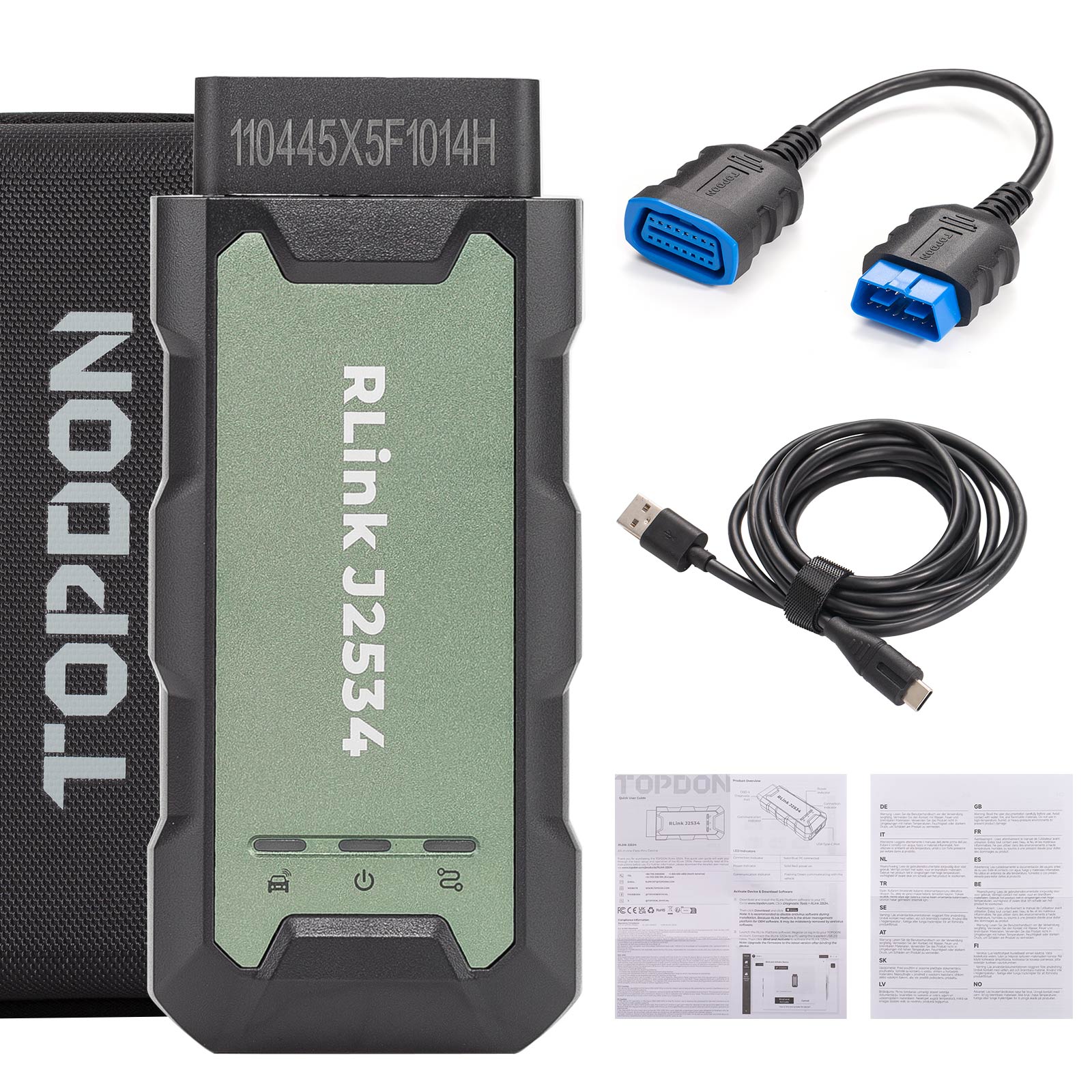

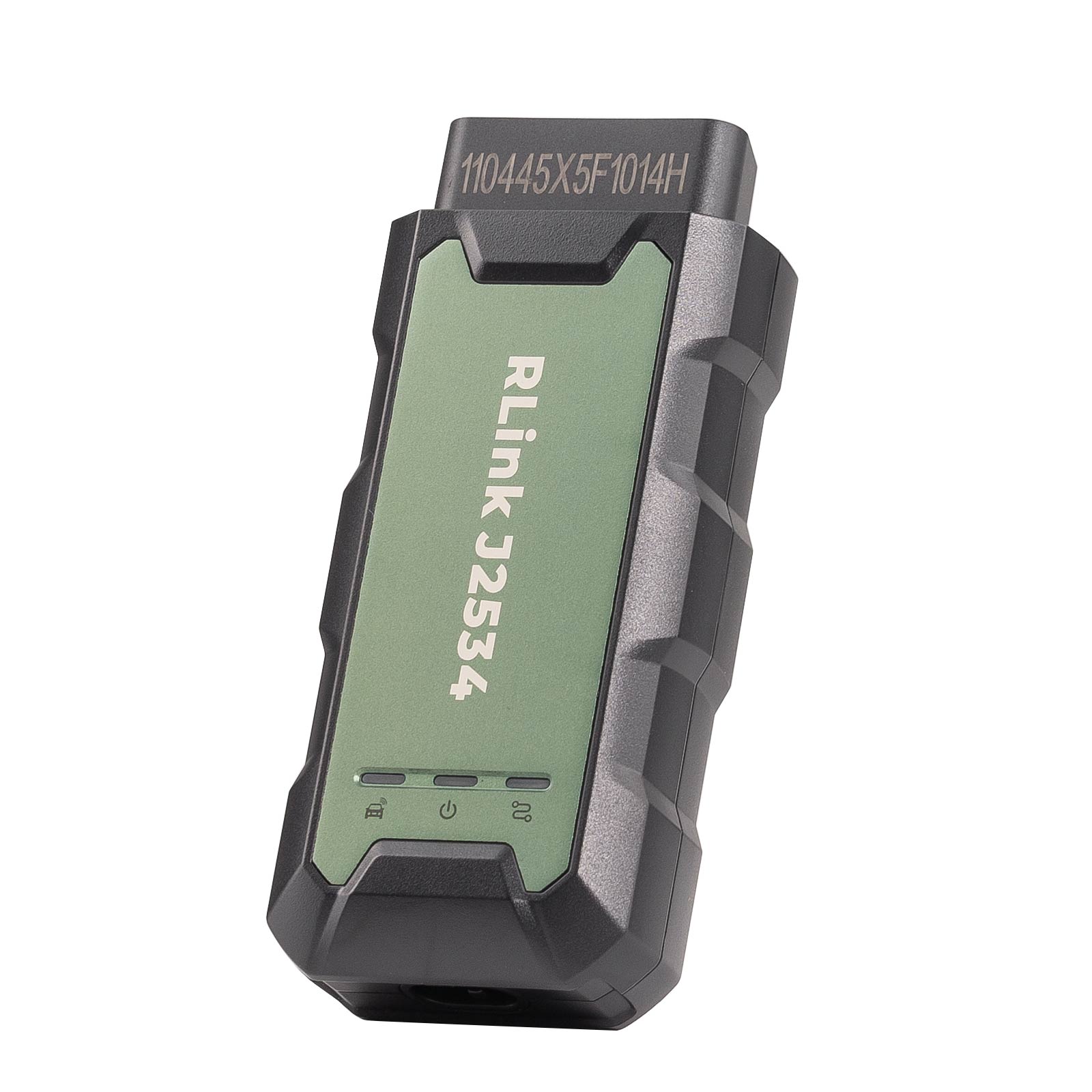
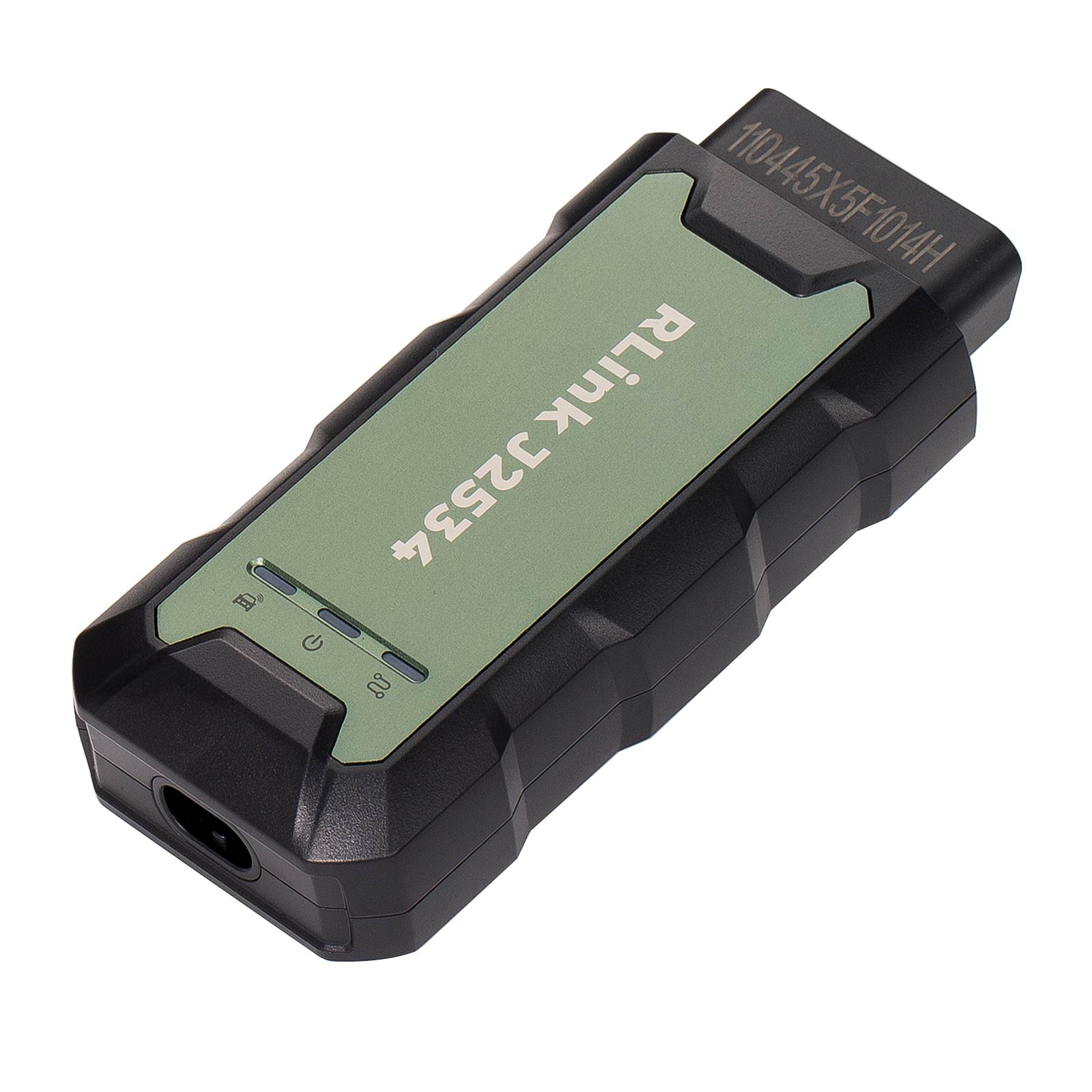
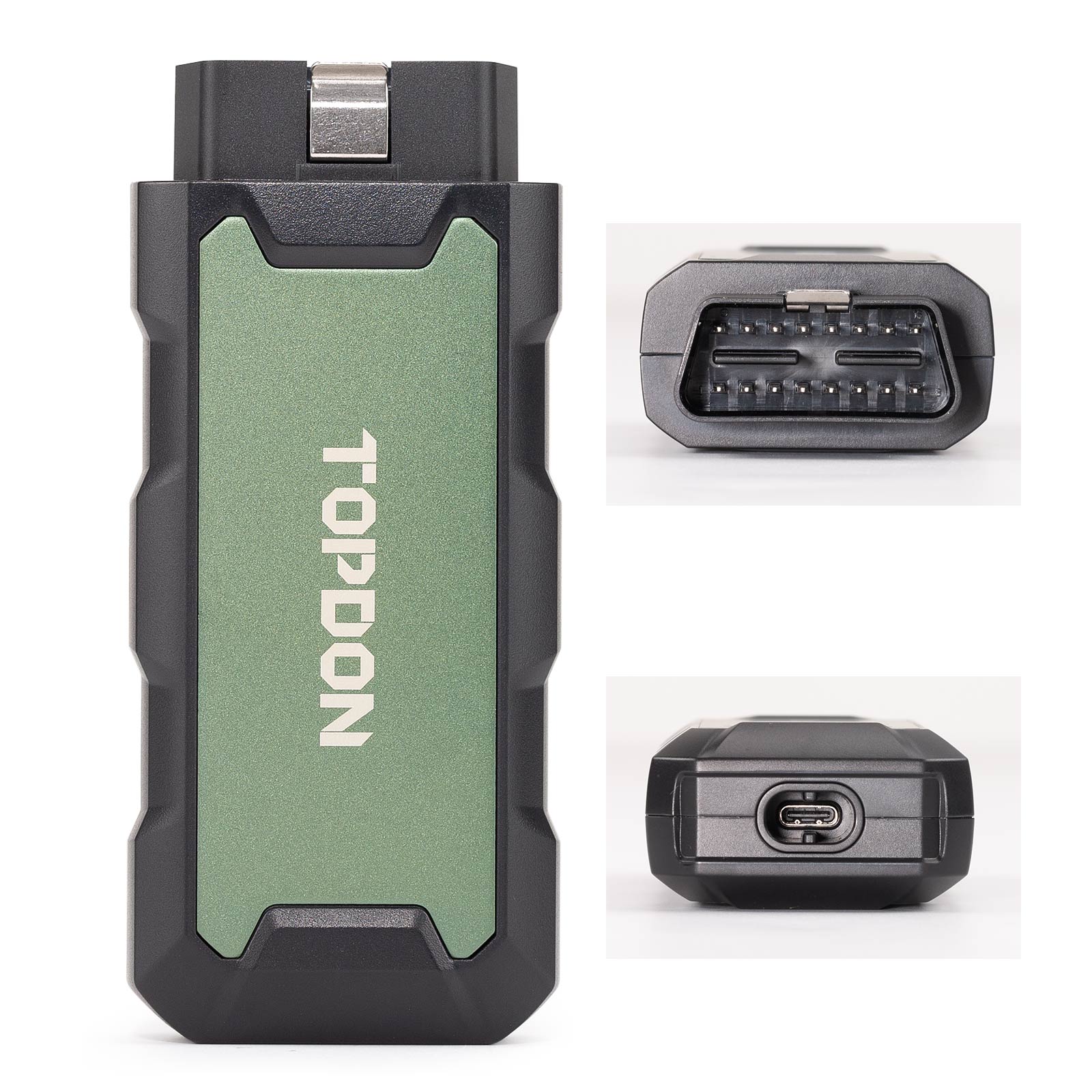

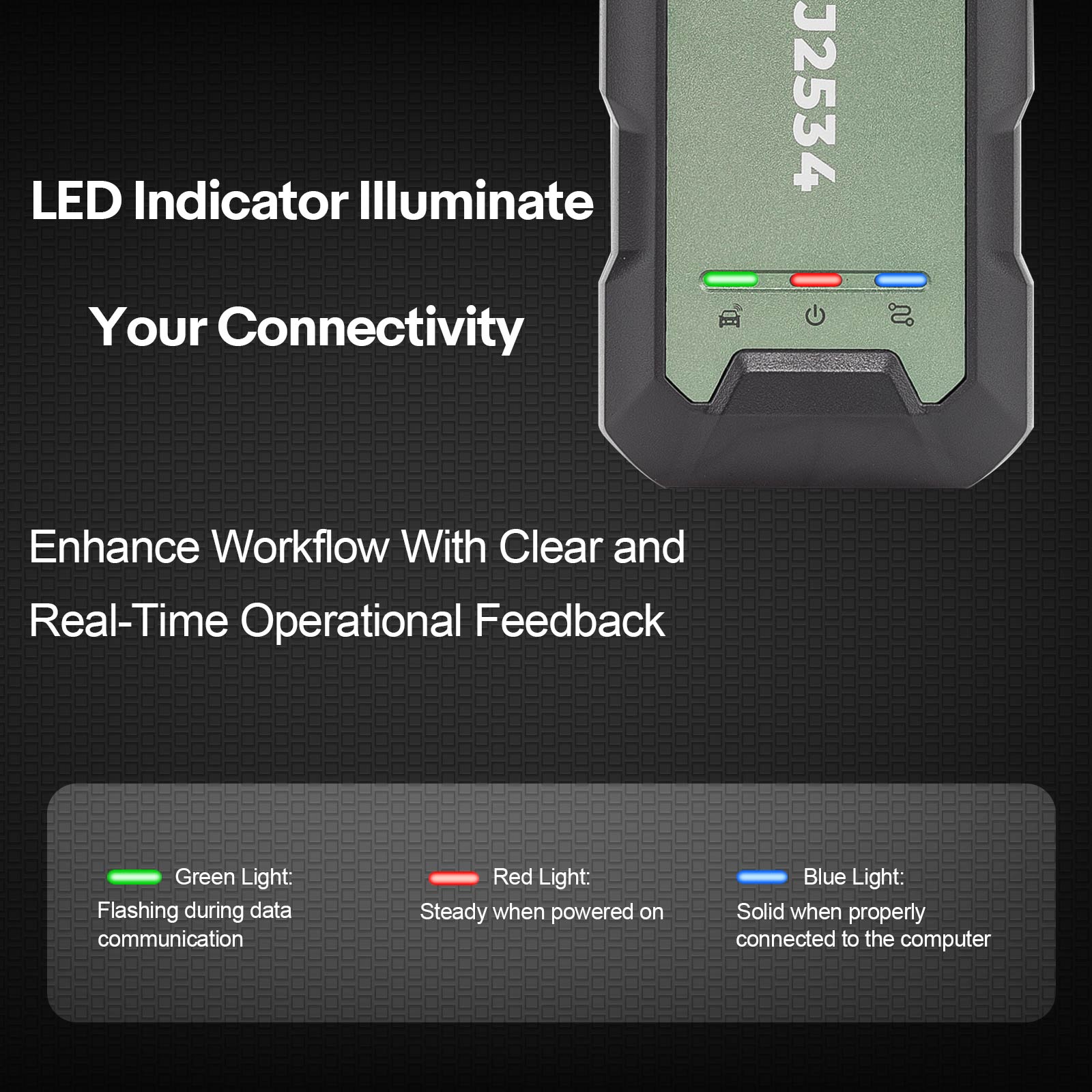

Topdon Rlink J2534 Pass-Thru VCI, OEM Reprogramming and Diagnostic Tool Supports J2534 D-PDU CAN-FD DoIP, Compatible with 17+ Vehicle Brands
Item No. OTOT052
In Stock.
History sold.
0 out of 50 global ratings
- 5 stars:0%
- 4 stars:0%
- 3 stars:0%
- 2 stars:0%
- 1 stars:0%
ratings| answered questions
0 out of 5
0 global ratings
- 5 stars:0%
- 4 stars:0%
- 3 stars:0%
- 2 stars:0%
- 1 stars:0%
Latest price:$259.00
Buy Now:
$
229.00
12% off
Fast Shipping & No Tax
US Check: Ship from US
UK Check: Ship from UK
EU Check: Ship from Czech
Looking for help? Please contact Whatsapp: +86-19892834301
- Shipping:
-
Free Shipping
Express Shipping ServiceEstimated delivery time: 3-5 Working Days
- Quantity:
- Stock:32

- Weight:
- 0.6 KG
- Package:
Related Download Files
Share
Topdon Rlink J2534 Pass-Thru VCI
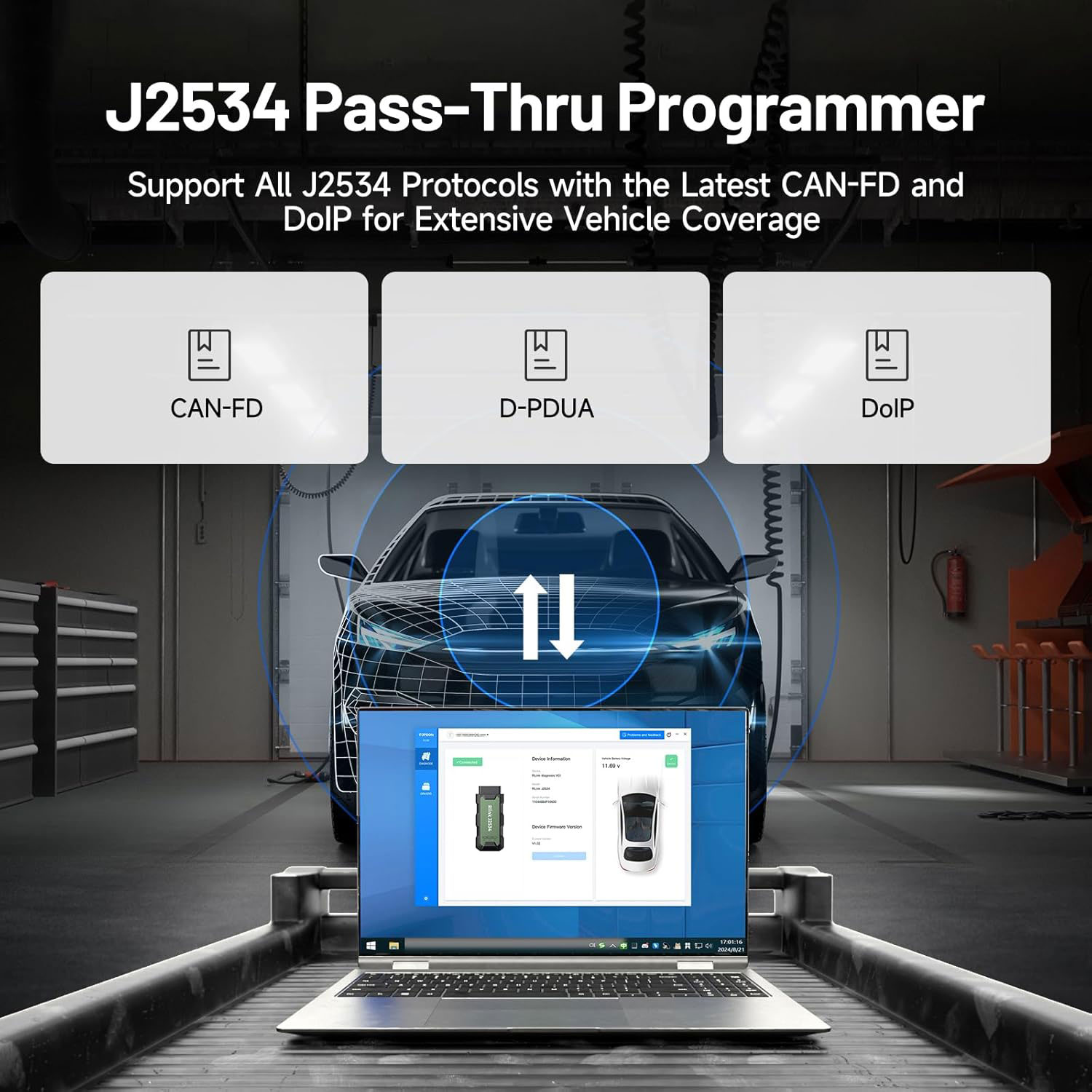
The RLink J2534 device fully supports all J2534 protocols, ensuring compatibility with OEM reprogramming and diagnostic functions. It integrates advanced D-PDU, CAN-FD, and DoIP protocols, making it suitable for more modern vehicles. Keep your repair shop equipped with the latest innovations to maintain your competitive advantage.
Comprehensive Brands Support
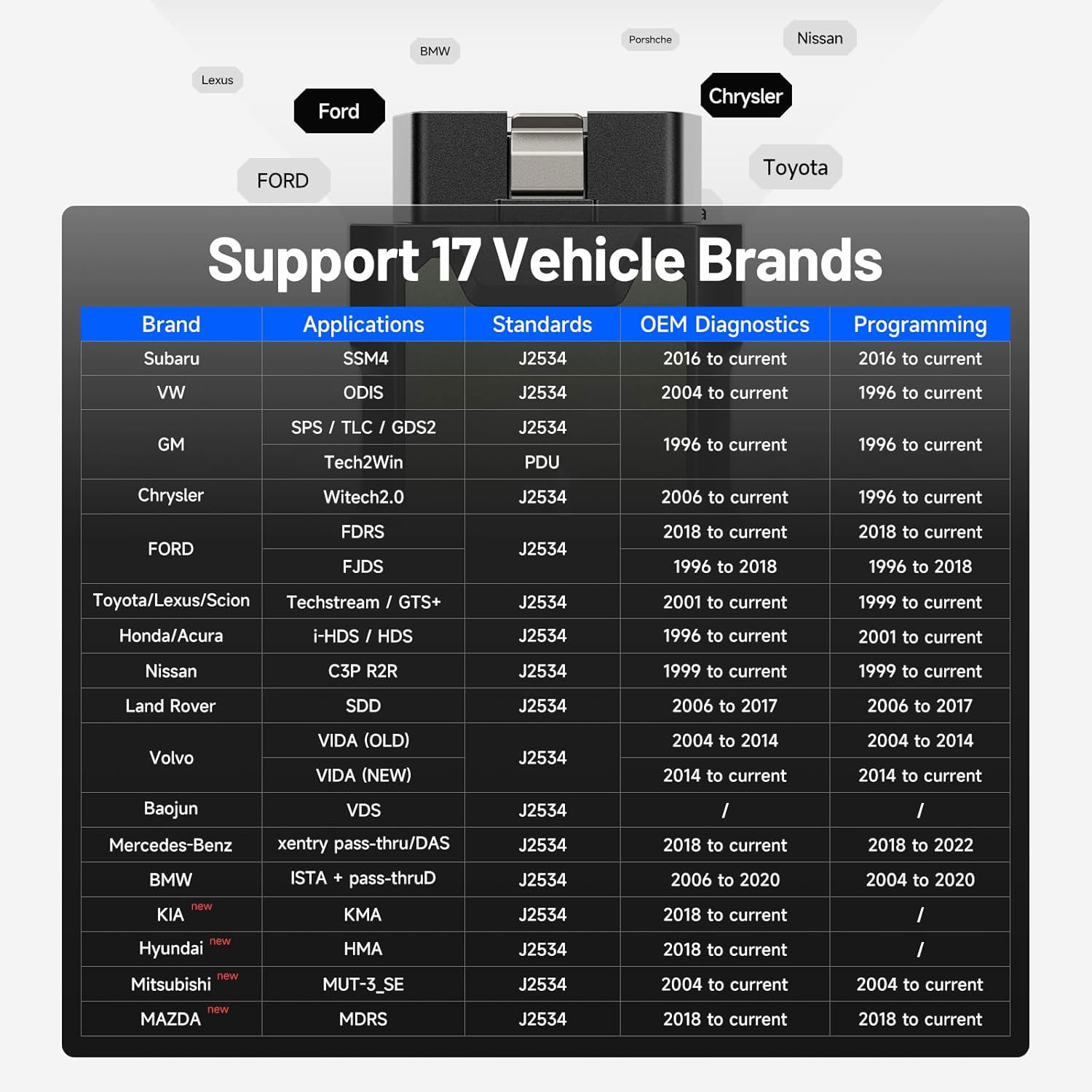
TOPDON RLink J2534 is an advanced diagnostic and reprogramming tool that supports all J2534 protocols, as well as D-PDU, CAN-FD and DoIP, ensuring compatibility with a wide range of modern vehicles. It offers extensive versatility with support for over 17 major automotive brands, including Chrysler, Ford, GM, Nissan, Toyota, Honda, Subaru, Land Rover/Jaguar, Volvo, Wuling, Volkswagen, Mercedes-Benz, and BMW, and so on, enjoy dealership-level functions at your fingertip.
RLink J2534 changes the game:
Supports 17 major brands.
RLink J2534 includes all software drivers.
Seamlessly integration with OE software
No more buying multiple devices
No more plugging/unplugging different tools
Lifetime Free Driver Updates & Local Tech Support
Rlink J2534 Recent Update:
Oct. 2025
Buy Rlink send 1 year free access to Topscan Pro App (check instruction).
Sep. 2025
1.Nissan OEM Adapter Driver: Added support for C4R2R software diagnostics.
2.GM OEM Adapter Driver: Added support for GM DoIP vehicle diagnostics.
All-in-One OEM Diagnostics
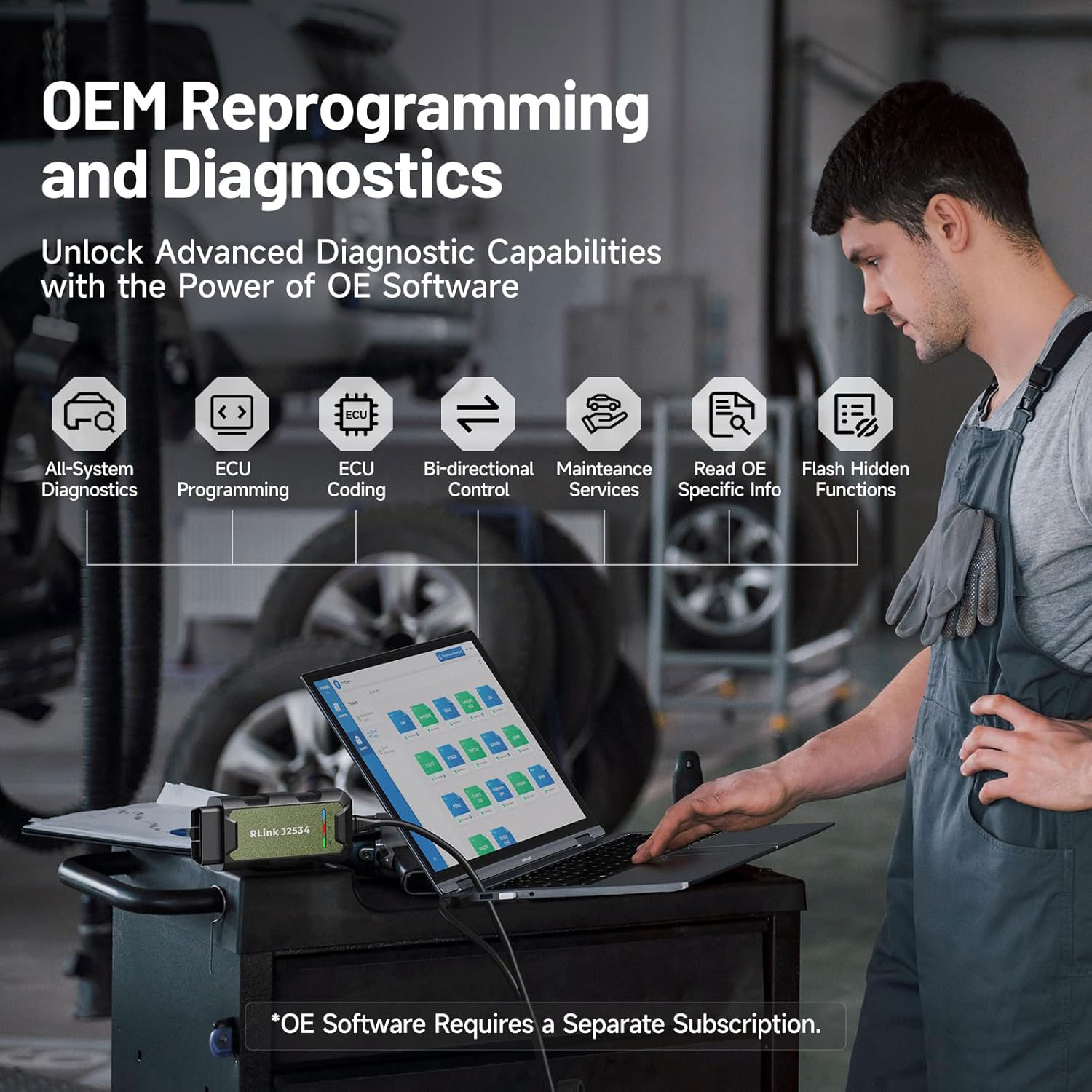
Harness the power of OE software to elevate your business with comprehensive All-system diagnostics, detailed repair guides, ECU coding, reset services, cloud-based programming, and more. Whether managing intricate programming or routine maintenance, the RLink J2534 empowers your diagnostics capabilities, delivering OEM-level performance effortlessly. Please note: OE software is not included and requires a separate subscription.
Proven Performance You Can Trust:
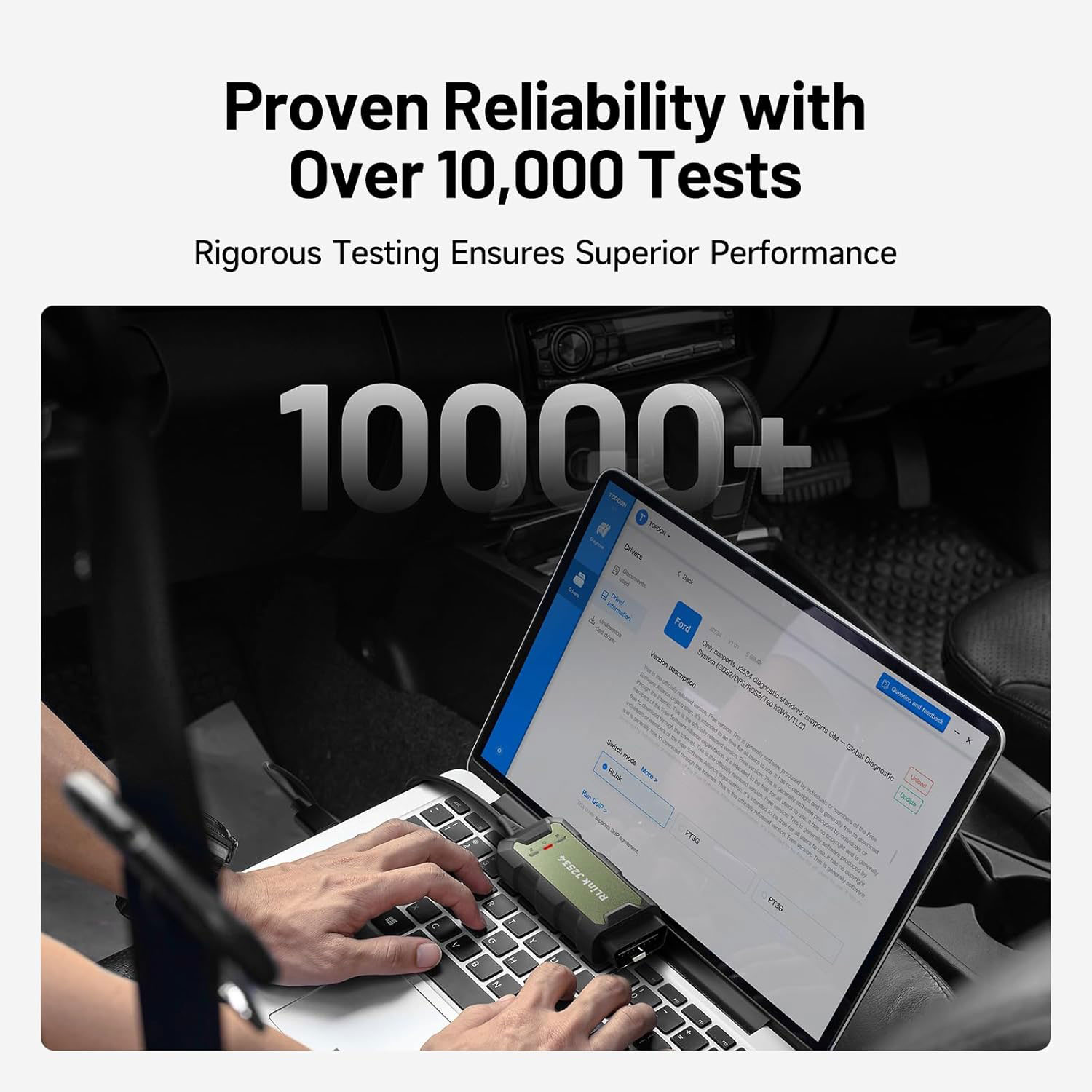
Backed by over 10000 real vehicle tests and benefit from a wealth of practical experience, this OEM reprogramming tool guarantees stable and exceptional performance. Supported by TOPDON's dedicated technical experts with in-depth knowledge of both auto repair and J2534 Pass-Thru programming, the RLink J2534 provides prompt and professional assistance, ensuring a smooth setup and reliable compatibility
TOPDON’s dedicated professional team offers comprehensive and prompt technical support. Whether you need help with installation, configuration, or troubleshooting, our expert guidance ensures quick issue resolution and minimizes downtime. With our support, you’re never alone in providing top-notch vehicle repair services.
Integrated Excellence, Always Up-to-Date:
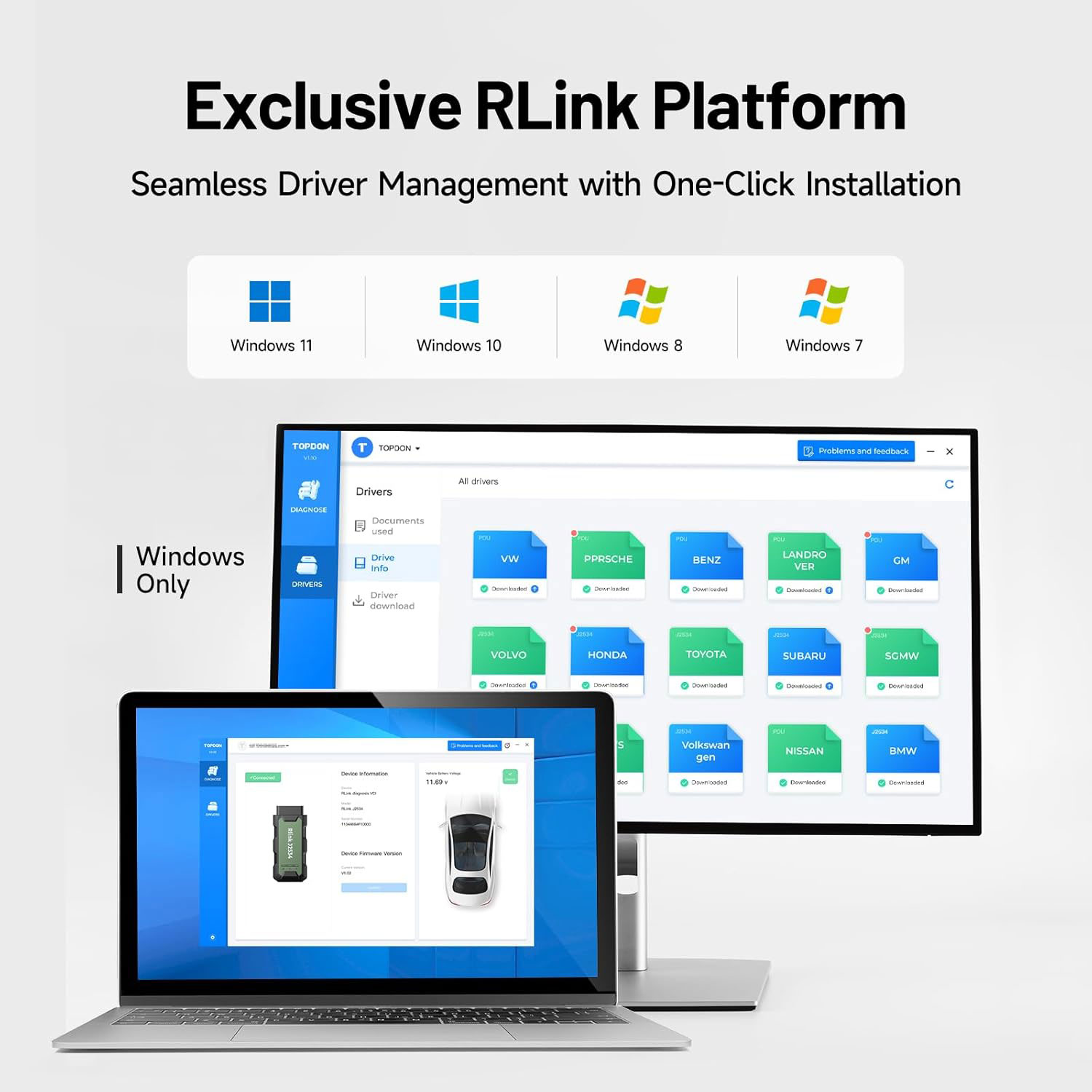
Featuring the exclusive RLink Platform to provide a streamlined experience with one-click driver installation and management, ensuring flawless integration with your OE software, maintaining the original performance quality. The built-in operation guide makes mastering OE software quick and easy, so you can get started right away. Plus, with lifetime free updates, your diagnostics will stay current with the latest drivers and innovations
How to register Rlink J2534 and download driver?
Getting started with RLink J2534 is easier than you think.
Here’s the simple setup:
Step 1: Use a Windows PC or laptop, download and install the "RLink Platform" from TOPDON website.
Step 2: Register and log in to your TOPDON account.
Step 3: Activate the RLink J2534 after connecting it with the vehicle and computer.
Step 4: Subscribe to, download, and install the OE software from manufacturer's official website.
Step 5: Install the OE software drivers and set RLink as the communication interface.
Efficiency Meets Versatility:
Engineered to support three CAN channels simultaneously - CAN FD and CAN-CC included, giving you the edge in fast troubleshooting. To perfectly synchronized with the OE software, please diagnose with active subscriptions and make sure your computer system is running a compatible 64-bit Windows version (7, 8, 10 or later) to fully leverage the power of RLink J2534.
*We don't provide extra OE software.
RLink Platform for Seamless Integration
Featuring the exclusive DMS (Driver Management System) available through TOPDON’s RLink Platform, you can download the latest vehicle drivers and stay up to date with uninterrupted access to cutting-edge technologies. With lifetime free updates, you’re always prepared to tackle any job and save more by avoiding frequent hardware replacements.
Effortless One-Click Driver Downloads
No complicated installation is required. This intuitive device allows you to download the latest drivers with a single click. It also includes a detailed OEM operation guide for added convenience, streamlining workflow and enhancing diagnostic efficiency.
Effortless Setup:
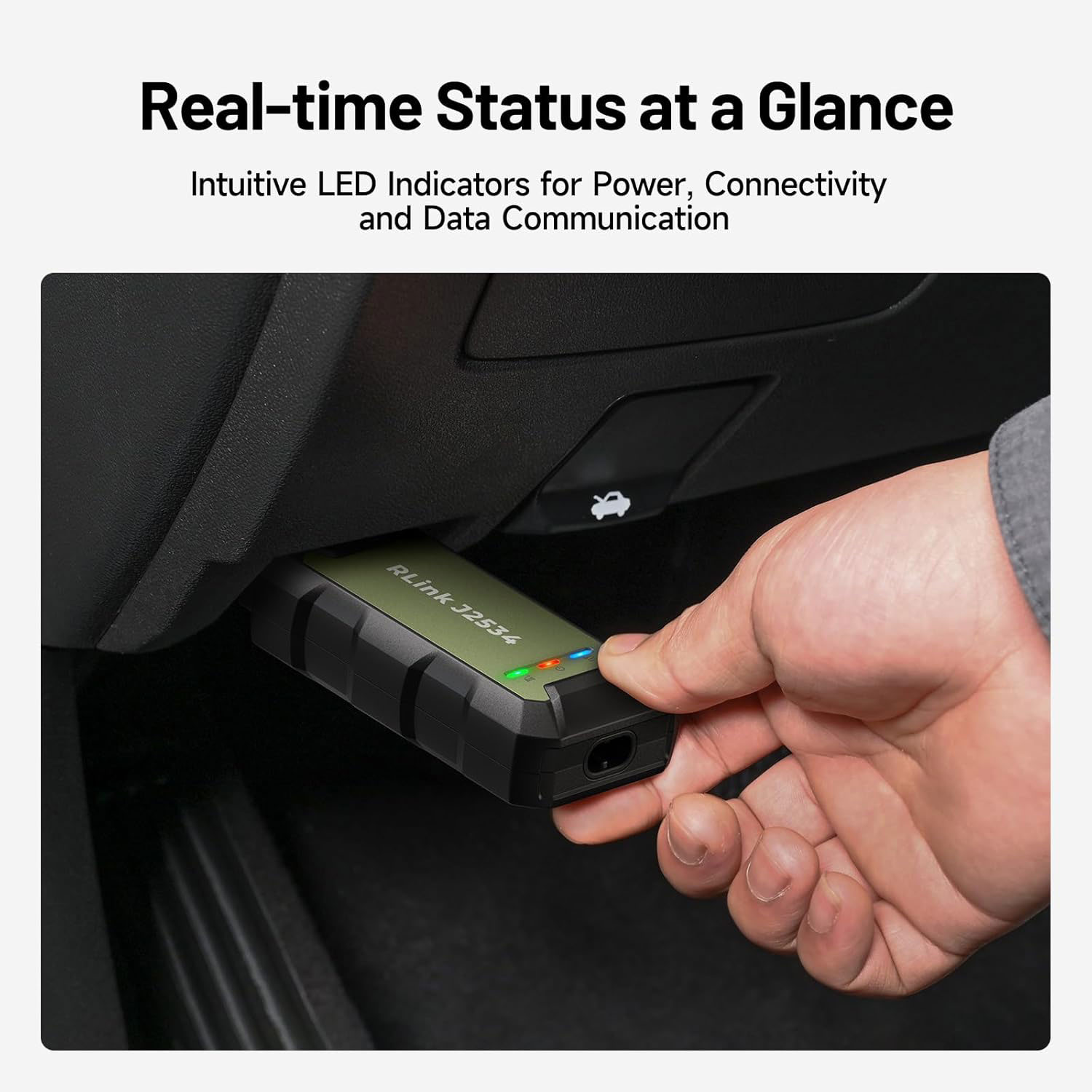
Getting started with the RLink J2534 diagnostic tool is a breeze. Simply plug it into the vehicle's OBD port and connect it to your computer via the Type-c cable. Next, visit TOPDON's official website to download the RLink Platform software. Once installed, launch the application and register to bind your device. Download the driver and set to RLink mode for optimal performance. With these easy steps, you'll be ready to deliver superior diagnostics.
Rlink J2534 vs Rlink X7
The main difference between RLink J2534 and RLink X7 is in the software drivers they come with.
RLink J2534 includes all software drivers.
RLink X7 only comes with one brand driver of your choice.
In terms of OEM software support, the RLink X7 covers more brands, such as: Ford, Nissan, JLR, Benz, BMW, Porsche.
Specifications
Operating Voltage: 9 - 18 V
Storage Temperature: -20 ℃ - 70 ℃(-4 ℉ - 158 ℉)
Working Temperature: -10 ℃ - 50 ℃ (14 ℉ - 122 ℉)
Dimensions: 114.7 * 51 * 29 mm (4.51 * 2 * 1.14 inch)
Net Weight: 90 g (3.17 oz)
Packing List
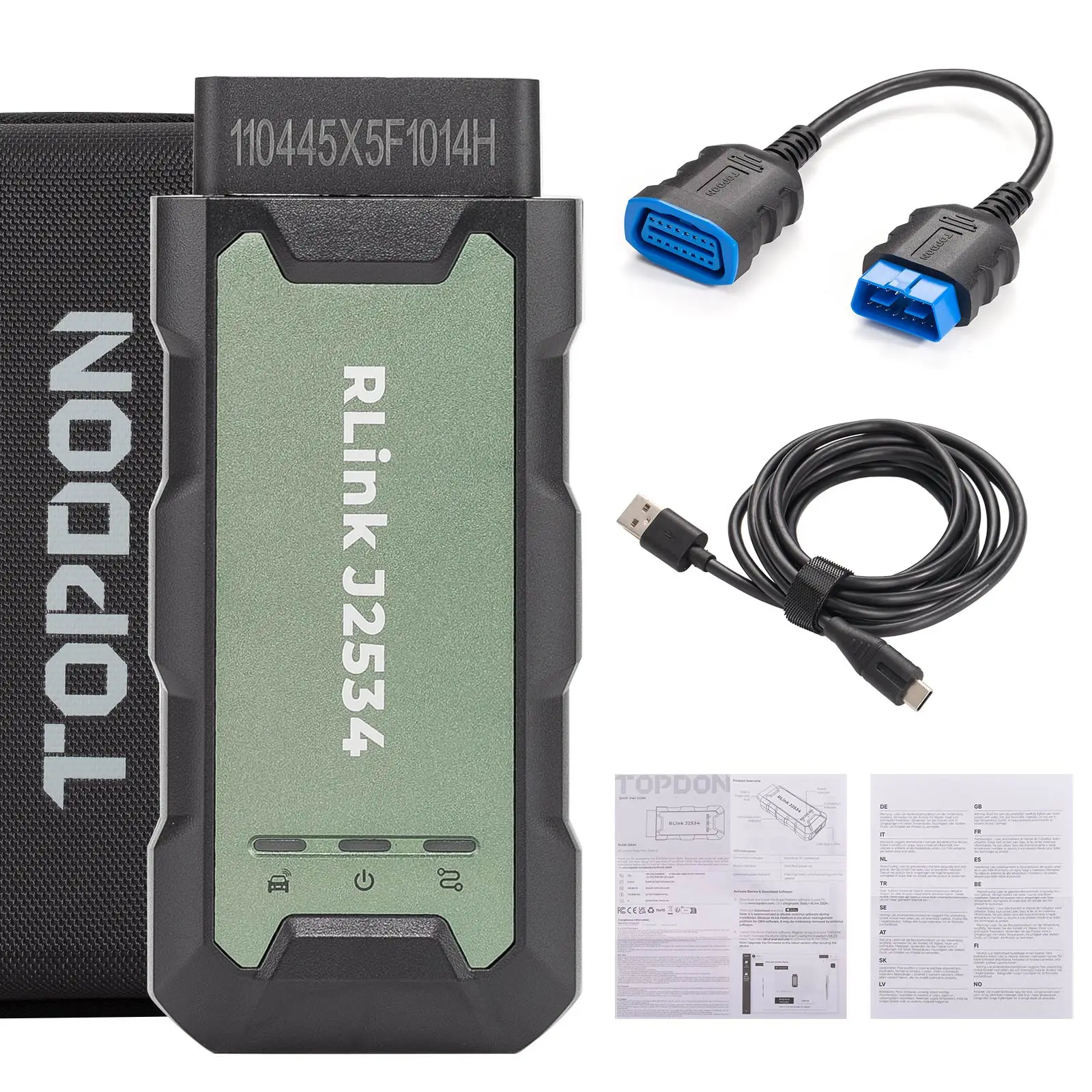
RLink J2534 x 1
0.38 m/1.2 ft OBDII Extension Cable x 1
2.0 m/6.6 ft USB 2.0 Cable x 1
Quick User Guide x 1
Customer Questions & Answers
Customer Reviews
0 Stars of 5,0 Reviews.
- 5 stars:0%
- 4 stars:0%
- 3 stars:0%
- 2 stars:0%
- 1 stars:0%
Share your thoughts with other customers.
Write a reviewTop customer reviews
You may also like

-
TOPDON T-Ninja 1000 Key Programmer Immobilizer All Keys Lost for Entry-Level Locksmiths Professional Mechanics Automotive Tool
$579.003% off


-
Topdon ArtiDiag500S Car Scanner Diagnostic Tool OBD2 DIY Code All Systems ABS Airbag DPF Oil Reset Automotive Diagnoses Tool
$169.006% off

-
TOPDON Smart Advanced Intelligent Diagnostic Scanner Support ECU Programming Key Programming
$2299.004% off

-
TOPDON Phoenix Lite Car Diagnostic Tools ECU Coding Automotive OBD2 Scanner All Systems Auto Tools
$839.002% off


- Payment:

-
Tel
+86-19892834301 -
WhatsApp